
5. Newsletter
Planted December 18, 2021
The theme supports a subscription to multiple newsletter providers.
- Buttondown
- Substack
- Revue
Buttondown
[Params.newsletter.provider] = “buttondown”
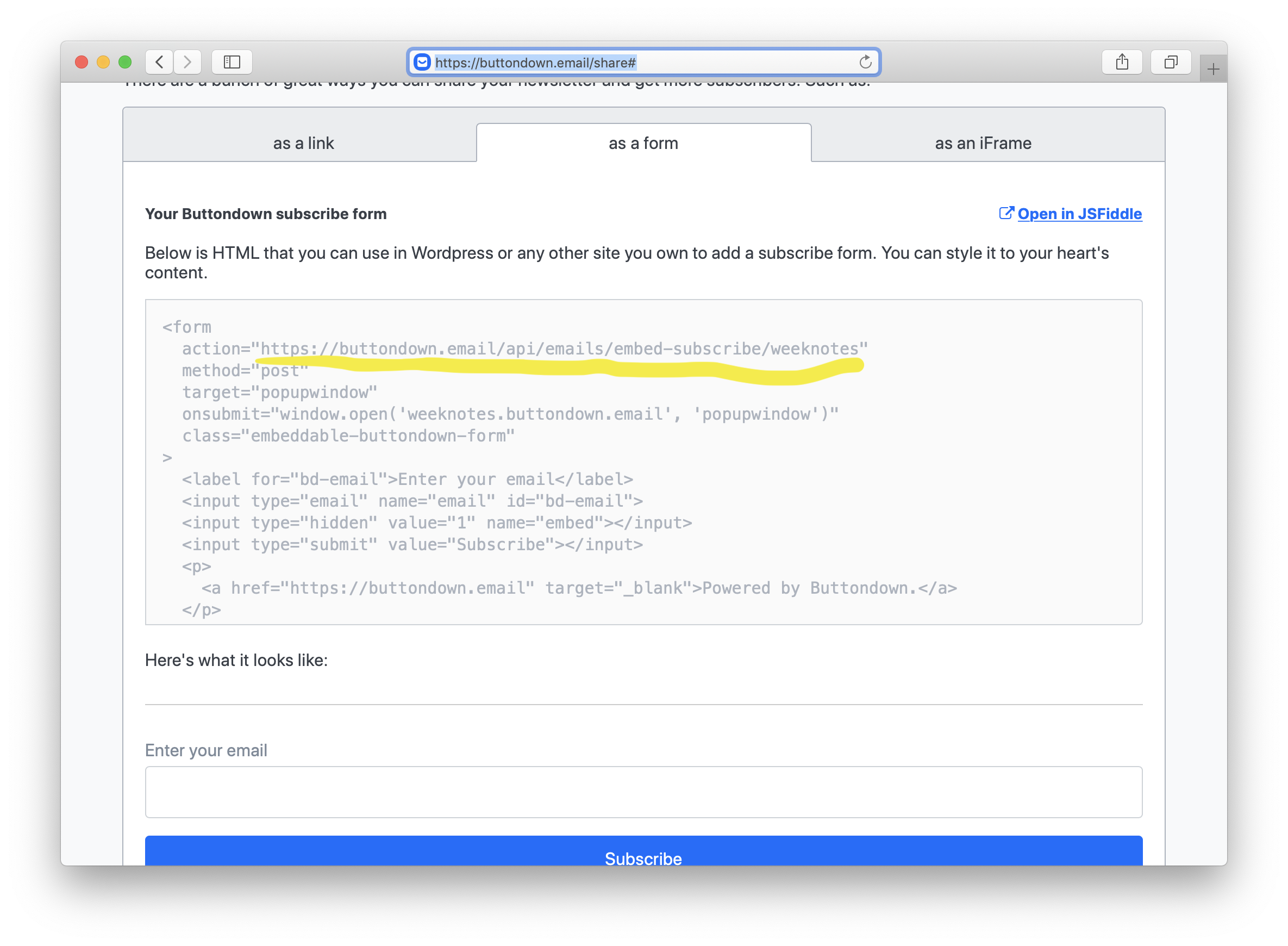
Copy the action url from your buttondown admin dashboard and add it to [Params.newsletter.path] in config.toml
Substack
[Params.newsletter.provider] = “substack”
Setting up substack is the easiest. Just add your substack newsletter URL (applicable for custom domains also) to [Params.newsletter.path] in config.toml
Note that since substack doesn’t have a native API for subscription. The theme uses the api from substackapi.com which is in no way associated to Substack itself.
Revue
Add your revue username URL to Params.newsletter.path in your config.toml. Once done, the newsletter widget will start showing up in website’s sidebar, allowing your visitors to subscribe to your newsletter.
How to find your Revue URL to use
Login to your Revue account and go to to Account Settings, then the Integrations tab. Scroll to the bottom, and click on Learn more in Signup forms section.

In the next page, you can find the add_subscriber URL.
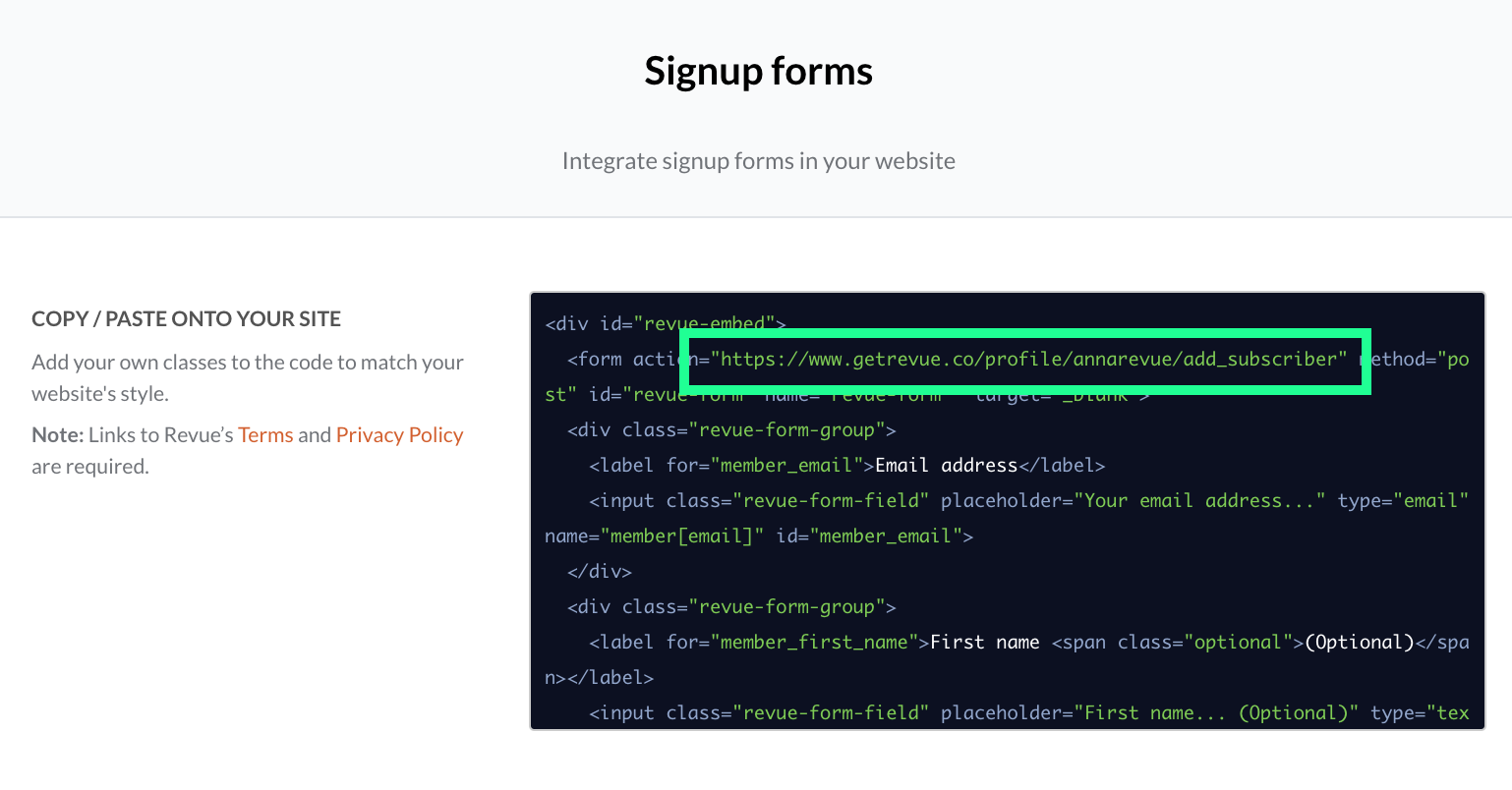
Copy it and use in config.toml.